New: GitHub Integration for FeaturePulse
Sync feature requests with GitHub Issues. Two-way sync, automatic issue creation, and status updates keep your team aligned.

We're excited to announce GitHub integration for FeaturePulse. You can now sync feature requests directly with GitHub Issues, keeping your development workflow seamless.
What's New
Two-Way Sync with GitHub Issues
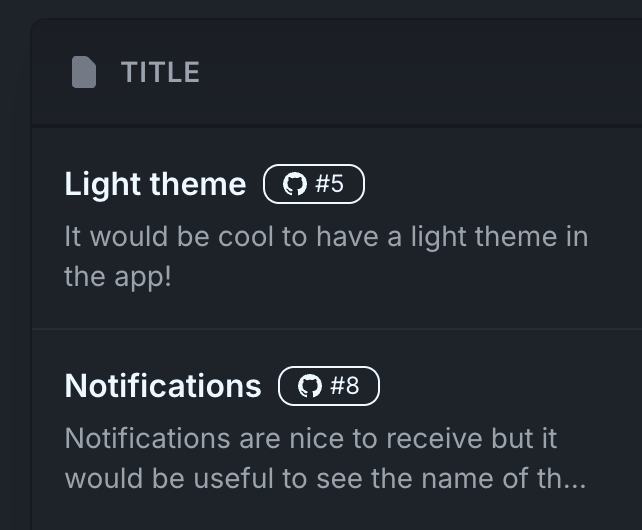
Connect your GitHub repository to FeaturePulse and automatically create issues from feature requests. When you mark a feature as "In Progress" or "Completed", the linked GitHub issue updates too.
Automatic Issue Creation
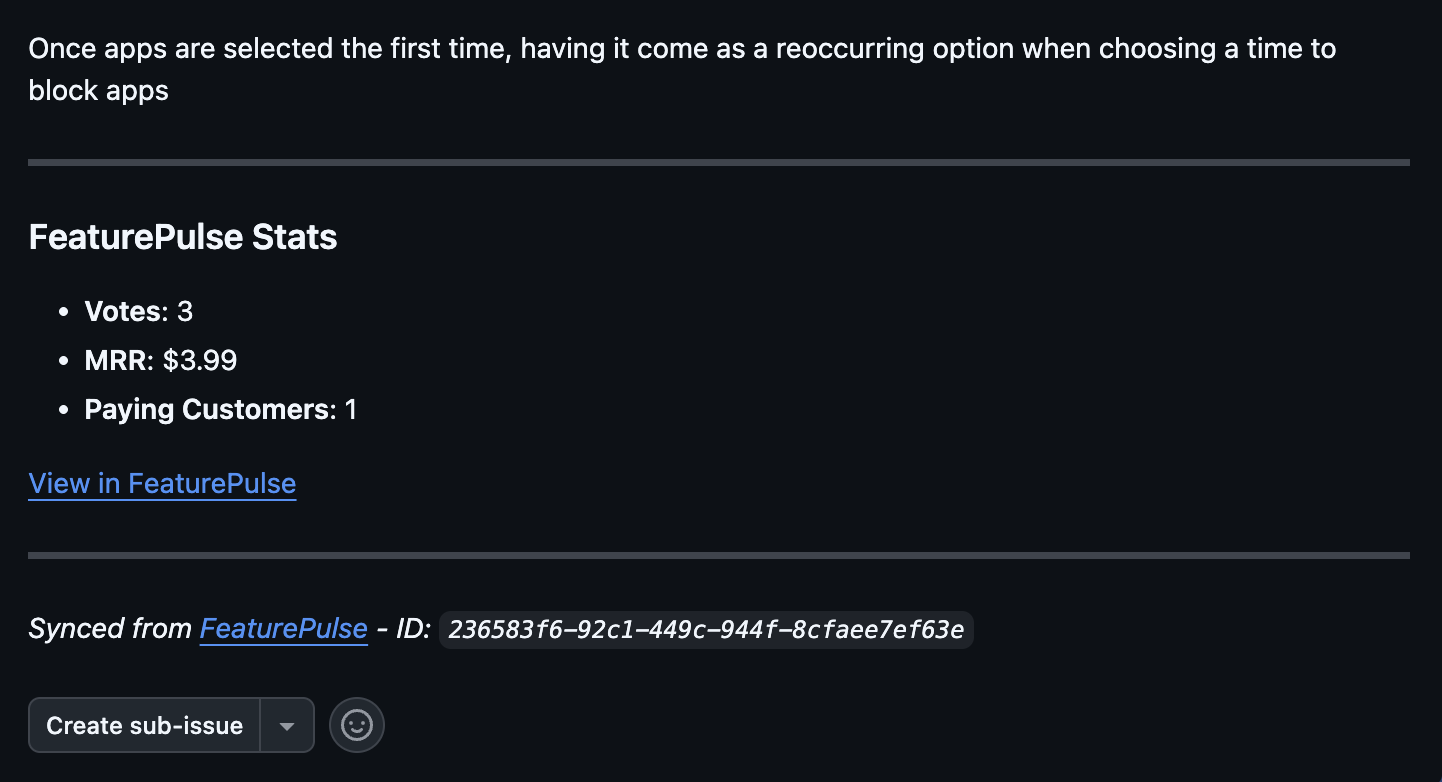
With one click, turn any feature request into a GitHub issue. The issue includes:
- Feature title and description
- Customer context and MRR impact
- Vote count and requester information
- Link back to FeaturePulse for full details
Status Sync
Keep everything in sync without manual updates:
- Close an issue in GitHub? The feature request updates to "Completed"
- Move a feature to "In Progress"? The GitHub issue reflects that
How to Set It Up
Step 1: Connect Your Repository
Go to Settings > Integrations and click "Connect GitHub". Authorize FeaturePulse to access your repository.
Step 2: Configure Webhook
FeaturePulse automatically sets up a webhook to receive updates from GitHub. You can test the connection right from the settings page.
Step 3: Start Syncing
That's it! Click "Create Issue" on any feature request to push it to GitHub. Status changes sync automatically in both directions.

Why This Matters
Product managers and developers often work in different tools. PMs collect feedback in FeaturePulse while developers live in GitHub. This integration bridges that gap:
- No more copy-paste: Feature details flow directly to GitHub
- Always up to date: Status changes sync automatically
- Full context: Developers see MRR impact and customer feedback
- Better prioritization: Revenue data helps sprint planning
Get Started
GitHub integration is available on all paid plans. Head to Settings > Integrations to connect your repository today.
Questions? Reach out to support - we're happy to help you get set up.
Related resources:
- GitHub Integration - Full setup guide and feature details
- FeaturePulse for Small Teams - How teams use FeaturePulse with GitHub workflows
- MRR-Weighted Feature Prioritization - Use revenue data to prioritize GitHub issues